

insta pro Apk

press below the button to start downloading
Insta Pro APK offers reel downloads, privacy settings, and custom themes. Explore insta pro features, the latest version 2026, and Android app details.
Insta Pro APK
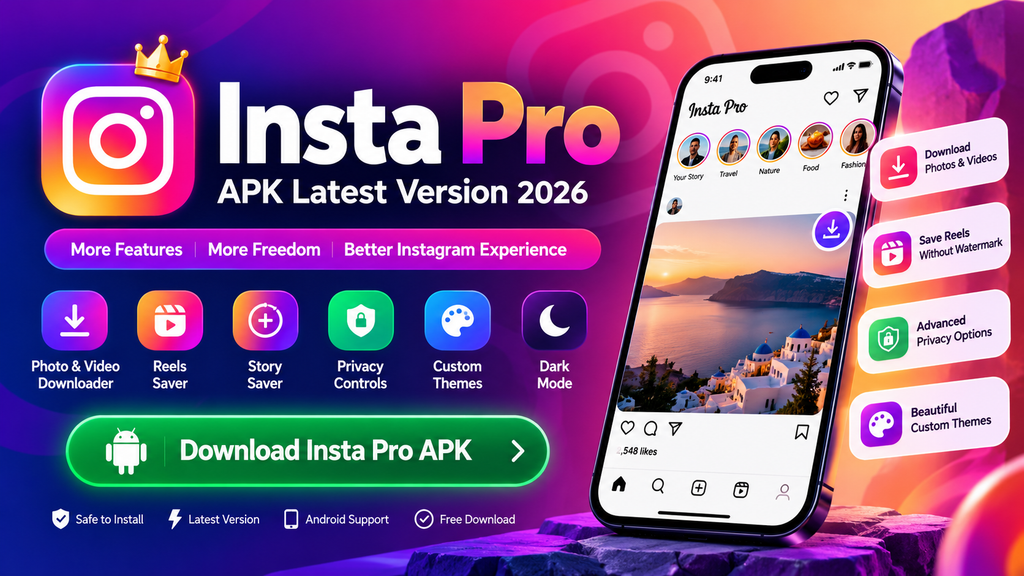
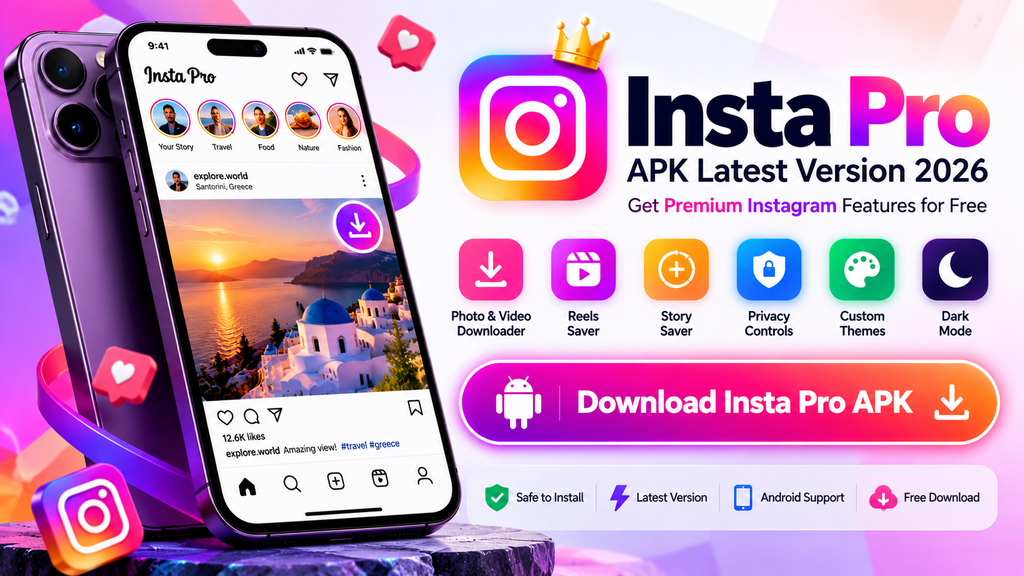
Insta Pro APK is a modified Instagram application for Android users. This app provides some extra options for normal social media use. You can browse posts, watch reels, and open different user profiles. Some versions also allow downloading photos, videos, and stories directly. Many users download this app for its additional privacy settings. You can also find different themes in some supported versions. These themes help users change the normal look of the application. The interface looks similar to the official Instagram app. This makes it easy for users to understand its basic functions. People searching for instagram apk download may also find this application. However, this app is not developed by the official Instagram team. Its features can change with different releases.
The insta pro application also includes options for managing daily activities. You can use supported account settings through its familiar interface. Some versions allow hiding certain activities from other Instagram users. You may also find additional controls for downloading supported media files. These options are not always available in the official application. Users searching for instagram apk free download sometimes explore modified applications like this. The app generally requires manual installation on a compatible Android device. Different releases may need different Android versions and storage space. Some functions may stop working after changes to Instagram services. Unofficial APK files can also create account and device security risks. Users should check application permissions before installing any downloaded file. The available features depend on the particular version being used.
What Is the Insta Pro APK App?
Insta Pro APK is an unofficial application based on Instagram. It provides familiar social media functions with some additional settings. You can use supported accounts to view posts and stories. The application may also include options for saving different media files. Some versions provide extra controls for privacy and appearance changes. Users can explore these settings through the application menu. The main purpose is to provide more options during Instagram browsing. Its layout is usually similar to the official mobile application. This makes the basic navigation simple for many Android users. People looking for instagram apk for android may discover this modified version. However, it does not receive official support from Meta. Its functions and compatibility can differ between available releases.
The application is mostly distributed through third-party APK download websites. It is not normally listed on the Google Play Store. You need a compatible Android device to install supported releases. The insta pro latest version may include changes to existing features. Some updates may also address problems found in earlier releases. Users can check the application settings for available controls. These may include themes, media downloads, and privacy-related options. Some people search for instagram apk latest version when comparing releases. However, official Instagram updates and modified releases are not the same. A modified application may not work after certain platform changes. Account login through unofficial software can also create security concerns. Users should understand these differences before using any modified application.
How to Download, Install, and Use Insta Pro APK?
You can install the application on a compatible Android device. Follow these simple steps to start using the app.
- Open a web browser on your Android mobile phone.
- Visit a website that provides the application APK file.
- Find the download section on the website page.
- Check the available version and file details before downloading.
- Tap the download button to save the APK file.
- Wait until the file finishes downloading on your phone.
- Open your file manager and locate the downloaded file.
- Check the file source and scan it for possible risks.
- Allow installation from that source when your device requests permission.
- Tap the APK file and select the Install option.
- Wait for installation to finish and open the application.
- Review its permissions and settings before using your account.
Unofficial APK files can contain unwanted software or security risks. Modified apps may also affect your account security.ailable features depend on the application version being used.
Features of Insta Pro APK
Media Downloader
The insta pro app includes a built-in media downloading option. You can save supported photos and videos into your phone. Many users use this feature for keeping media offline. Downloaded files may appear inside the device gallery or storage. The available download options depend on the application version installed.
Ad-Free Browsing
The Insta Pro APK Download is often linked with ad-blocking features. Some versions allow users to reduce sponsored posts while browsing. You can explore your feed with fewer advertising interruptions. This feature may provide a cleaner experience during normal browsing. However, ad blocking may not work with every release.
Ghost Mode
Ghost Mode is a privacy feature found in some modified versions. The insta pro review discussions often mention this particular option. You can hide certain activities while viewing supported content. Some releases include options for hiding story viewing activity. These settings may not work reliably with every account.
Hidden Online Status
This feature allows users to control their visible online activity. Some insta pro apk update releases include additional status settings. You can hide your activity status through supported privacy options. Other users may not see certain activity details when enabled. The exact behavior depends on the version and changes.
Custom Themes
The application includes different options for changing its visual appearance. Users searching insta pro free download often look for themes. You can change supported colors and other interface elements. Some versions provide different styles for the application screen. This makes the layout more adjustable for regular daily use.
Story Downloader
The insta pro2 apk download is commonly searched by Android users. Modified versions may include a separate story downloading option. You can save supported stories into your device storage. Some releases provide download buttons directly inside the story viewer. Users should respect content ownership and other people’s privacy.
Reels Downloader
The Insta Pro APK includes options for downloading reels. You can save supported reels directly into your mobile storage. Many users use this option for watching videos later. Some versions also provide a download button below the reels. The saved videos can be opened through your phone gallery.
High-Quality Media Downloads
The download insta pro apk size can change with different application versions. Some modified releases provide additional options for saving media quality. You can download supported photos without using another downloader application. The saved quality depends on the original uploaded media. This feature helps users keep clearer copies of supported content.
Hide Seen Status
Some versions include an option for hiding message read receipts. The insta pro latest version 2026 may have similar privacy settings. You can read supported messages without showing the normal seen indicator. This option gives users more control over their message activity. However, its behavior may change after updates.
Multiple Account Support
The app allows users to manage different accounts. You can switch between supported profiles through the account menu. Many users keep personal and other accounts in one application. The insta pro web keyword is also searched for account access. However, modified APK features mainly work inside the Android application.
Profile Picture Viewer
Some modified releases include a larger profile picture viewing option. You can open supported profile images in a bigger view. The Insta Pro APK Download may include this additional viewing feature. Users can see more details compared with smaller profile thumbnails. The available image quality depends on the original profile picture.
Copy Bio and Comments
The application may provide options for copying different profile information. You can copy supported bio text and comments more easily. Users searching Download Insta Pro often look for these tools. This feature helps when saving useful text from public content. Some versions also support copying captions from regular posts.
Dark Mode
Dark mode changes the application background into darker colors. The insta pro apk update may include different appearance settings. You can use this mode during evening or nighttime browsing. Many users find darker screens comfortable in low lighting. The actual theme colors depend on the installed app version.
Hide Typing Status
Some versions provide an option for hiding the typing indicator. You can write messages without showing certain typing activity details. The insta apk latest version 2026 follows official settings instead. Modified releases may include extra controls for private messaging activity. These options may stop working after changes to services.
Zoom Profile Photos
The app may allow users to enlarge supported profile pictures. You can view smaller images in a more visible size. Some insta pro review pages mention this additional viewing feature. It helps users see profile images without opening another application. Image clarity still depends on the original uploaded picture.
App Lock
Some modified versions provide an additional application locking option. You can protect app access with supported security settings. The insta pro free download versions may offer different locking methods. This feature helps limit access from other people using your phone. Available lock options depend on the installed release and device.
Video Playback Controls
The application may provide additional controls for watching videos. You can manage supported playback options through the video screen. Some versions include extra settings for changing the viewing experience. The insta pro apk download process does not guarantee these features. Users should check the installed release for available video controls.
Easy Interface
The Insta Pro APK uses a layout similar to Instagram. You can find common options without learning a different interface. The home feed and profile sections remain familiar to users. Many extra features are available through separate application settings. This simple arrangement makes normal browsing easy for regular users.
Download Without Watermark
Some modified versions offer additional options for saving supported media. You may find downloads without added downloader watermarks in certain releases. The Download Insta Pro APK search often includes these media features. Original creator marks may still appear inside downloaded photos or videos. Users should respect the rights of original content creators.
Extra Privacy Settings
The application may provide additional privacy controls for different activities. You can manage supported story, messaging, and activity visibility settings. Some releases include separate switches for these extra privacy options. Users can adjust the settings according to their normal usage. These controls are not guaranteed to work with every version.
Pros and Cons of Insta Pro APK
| 👍 Pros | 👎 Cons |
|---|---|
The application provides additional features beyond normal settings. |
The application is not officially developed or supported by Meta. |
You can download supported photos and videos into your phone. |
Modified APK files may contain harmful software or unwanted permissions. |
Some versions allow users to hide certain online activities. |
Using unofficial applications may create risks for accounts. |
The application has a familiar and simple interface. |
Some features may stop working after official updates. |
You can change supported themes and other appearance settings. |
The application is not normally available through Google Play Store. |
Some releases include options for reducing sponsored content. |
Different modified releases may contain bugs or compatibility problems. |
Users can manage multiple accounts through the familiar account menu. |
|
Certain versions provide additional profile picture viewing options. |
|
You can copy supported captions, comments, and profile information. |
|
Some releases include extra controls for private messaging activities. |
|
The app may include a separate locking feature for access. |
|
Many modified versions are distributed without a download charge. |
Insta Pro APK vs Official Instagram
Many users want to know the difference between Insta Pro APK and Instagram. Both applications provide familiar social media features for Android users. You can browse posts, watch reels, and use supported accounts. However, Insta Pro includes some additional settings in certain modified releases. These may include media downloading, privacy controls, and custom themes. The official instagram apk receives updates and support directly from Meta. Users searching for instagram apk latest version may find the official application. Others exploring insta pro web may want similar functions through a browser. The available features are not exactly the same.
| Features | Insta Pro APK | |
|---|---|---|
| Developer | Third-party developers | Meta |
| Media downloading | Available in some versions | Limited |
| Custom themes | Some versions | Limited |
| Ghost mode | Some versions | Not available |
| Hide typing status | Some versions | Not available |
| Profile picture downloads | Some versions | Limited |
| App updates | Manual updates | Play Store updates |
| Google Play Store | Not available | Available |
| Official support | No | Yes |
| Account security | Additional risks | Official security support |
Insta Pro APK provides additional options in some modified versions. You may find downloading tools for supported photos and videos. Certain releases also include privacy settings for online activities. These settings can give users more control during normal browsing. Some versions provide different themes and appearance changes as well. The official Instagram application does not include every modified feature. However, the available tools depend on the particular Insta Pro release. Some options may stop working after Instagram changes. Users should also understand the risks of unofficial account access. These differences can affect the normal experience of both applications.
The official Instagram application receives updates through supported application stores. You can install these updates without searching for unofficial files. Meta also provides official account recovery and security options. The application supports familiar features like stories, reels, and messaging. Insta Pro uses a similar interface but adds certain modified settings. Its updates may arrive at different times from official releases. Some older versions may also develop compatibility problems. Users can check the differences before installing either application. Both applications require an internet connection for most social media activities. Their differences mainly appear in extra settings, update methods, and official support.
Insta Pro APK Alternatives
Many users look for other applications with similar features. These apps may provide media downloads, privacy controls, and different themes. Some users also want simple options for managing social media accounts. The insta pro app is one of these modified applications. Other apps offer different settings and tools. Users searching insta apk download or insta pro free download may also find these alternatives.
1. Honista APK
Honista APK is another modified application based on Insta. It provides additional options for privacy and media downloading. You can save supported reels, stories, and photos into storage. Some versions also include ghost mode and custom themes. Users can change different settings through the application menu. The interface looks similar to the normal application. Honista also includes options for hiding certain online activities. These features are similar to some tools in Insta Pro. However, available functions may change between different Honista releases. It is an unofficial application and may carry security risks.
2. Instander
Instander is a modified application with extra user controls. It is known for media downloading and privacy-related options. You can save supported photos and videos through the application. Some versions also provide options for changing media quality settings. The app uses a familiar interface for normal browsing. Users can explore profiles, stories, and reels through supported accounts. It also includes additional settings in certain older releases. Instander shares some features with other modified applications. Its update availability and compatibility may differ between releases. Users should check the source before installing any unofficial version.
3. AeroInsta
AeroInsta is another unofficial application for Android devices. It offers additional appearance settings and privacy-related features. You can use different themes to change the application colors. Some releases also include media downloading and activity hiding options. The interface remains similar to the official application. Users can browse posts, watch reels, and open profiles. AeroInsta includes different settings depending on the installed version. Some features are also found in Insta Pro APK. However, the application is not supported by the official Instagram team. Its available releases may have different compatibility requirements.
FAQs About Insta Pro APK
1. What is Insta Pro APK?
Insta Pro APK is an unofficial modified Instagram application for Android. It provides familiar Instagram features with some additional settings. Certain releases include downloading tools and extra privacy controls. Users may also find different themes and appearance options. Available features depend on the selected application version.
2. Is Insta Pro APK safe to use?
The safety of unofficial applications depends on several different factors. These include the APK source, permissions, and application version. Third-party applications may create additional account and privacy risks. Some downloaded files may also contain unwanted software. Users should review security information before installing unknown APK files.
3. Is Insta Pro APK free to download?
Many Insta Pro APK releases are distributed without a purchase requirement. However, availability can differ between third-party download sources. Some websites may display advertisements during the downloading process. The included application features can also differ between releases. Users should review the actual file details before downloading.
4. Can I use my Instagram account with Insta Pro APK?
Some modified Instagram applications support existing Instagram account login. However, unofficial clients may involve additional account security concerns. Entering login details into unknown applications can expose personal information. Instagram may also restrict accounts using unsupported application behavior. Official Instagram provides the standard account access process supported by Meta.
5. Does Insta Pro APK require root access?
Most normal Android APK installations do not require root access. Android includes a package installer for compatible application files. Users may need to review installation permissions before continuing. Some application requirements can differ between versions and devices. Root access is generally unnecessary for standard APK installation.
6. Can I install Insta Pro APK with official Instagram?
Some modified releases use different Android application package names. These versions may install beside the official Instagram application. Other releases may conflict with an existing Instagram installation. The result depends on package details and device compatibility. Users should review the selected APK information before installing.
7. How do I update Insta Pro APK?
Insta Pro APK updates are usually handled through third-party releases. Users can review available version information before downloading an update. A compatible APK may install over an existing application version. However, some builds use different package names or signing details. Users should check compatibility and file security before updating.
8. Does Insta Pro APK work on iPhone or PC?
Android APK files cannot normally be installed directly on iPhones. iOS uses a different application format and installation process. Some Android emulators may run compatible applications on computers. However, unofficial application compatibility and account security are not guaranteed. Official Instagram also provides supported mobile and browser-based access.
conclusion
Insta Pro APK is an unofficial modified Instagram application offering extra features for Android users. Some versions include media downloading, privacy controls, custom themes, app locking, and profile picture viewing. Users can browse posts, stories, reels, and profiles through a familiar interface. Certain releases also allow users to hide online activities and save supported media files. People searching for instagram apk free download may find these modified versions.
However, Insta Pro APK is not officially developed or supported by Meta. Features and Android compatibility vary between releases. Users searching for insta pro latest version should check the APK file size, permissions, and device requirements before installation. Updates may add features or cause existing functions to stop working. Unlike the official Instagram app, modified versions do not receive regular updates or official security support.
Users looking for instagram apk size or an insta pro apk update should verify the actual file details. Insta Pro is distributed through third-party sources and may carry security or account risks. The official Instagram application remains available through supported app stores with regular updates and account protection features.
